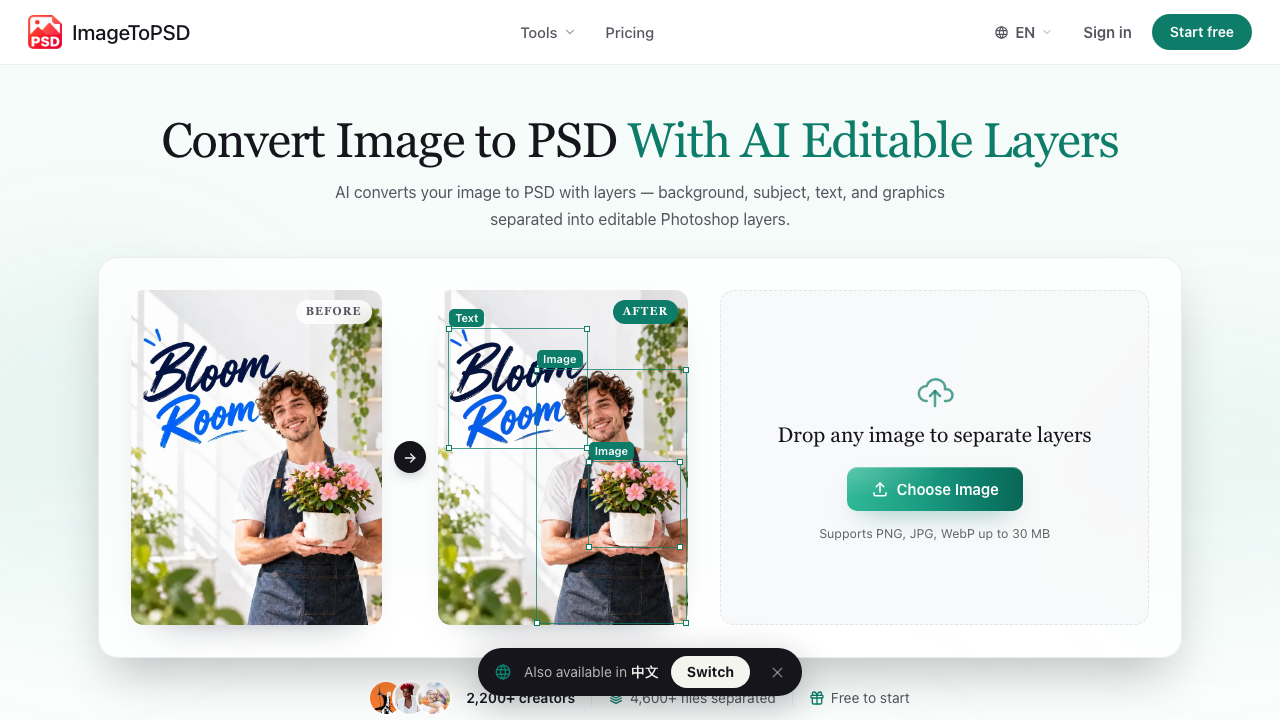
ImageToPSD turns a flat image into a layered Photoshop file. Upload a JPG, PNG, or WebP and the AI splits it into separate, editable layers for the background, subject, text, and graphics — then fills in the background behind anything it lifts out, so you can move or hide elements without leaving holes.
It is built for the moment you have a finished-looking image (an AI generation, a client screenshot, a product shot, a poster) and need to edit one part of it without rebuilding the whole thing from scratch.
Key Features
- Content-aware layer separation — Automatically isolates subjects, text, badges, logos, and backgrounds into a clean layer hierarchy.
- Custom region selection — Box any subject, prop, or detail to extract it as its own layer, up to 50 layers per image.
- Background inpainting and occlusion fill — Reconstructs textures and shadows behind removed elements.
- In-browser layer editor — Preview, reorder, and adjust layers before exporting.
- Native PSD export — Download a layered PSD or a lossless PNG stack that works in Photoshop, Photopea, Affinity Photo, Figma, and Canva.
How It Works
- Upload a JPG, PNG, WebP, screenshot, or AI-generated image (up to 30 MB).
- The AI separates subjects, backgrounds, text, logos, and product areas into individual layers.
- Download the layered PSD and keep editing in your design tool.
Use Cases
- Making Midjourney, DALL·E, and Stable Diffusion outputs editable
- Swapping text or logos on posters, banners, and social graphics
- Repositioning products or people without manual masking
- Recovering an editable file from a screenshot or flattened export
Pricing
New accounts get 20 free credits with no credit card, and uploaded files are auto-deleted after one hour. Paid packs are one-time payments: Starter $4.9 (200 credits, up to 16 layers), Pro $19.9 (1,000 credits, up to 30 layers), and Studio $49.9 (3,000 credits, up to 50 layers, batch upload, and a priority GPU queue).