
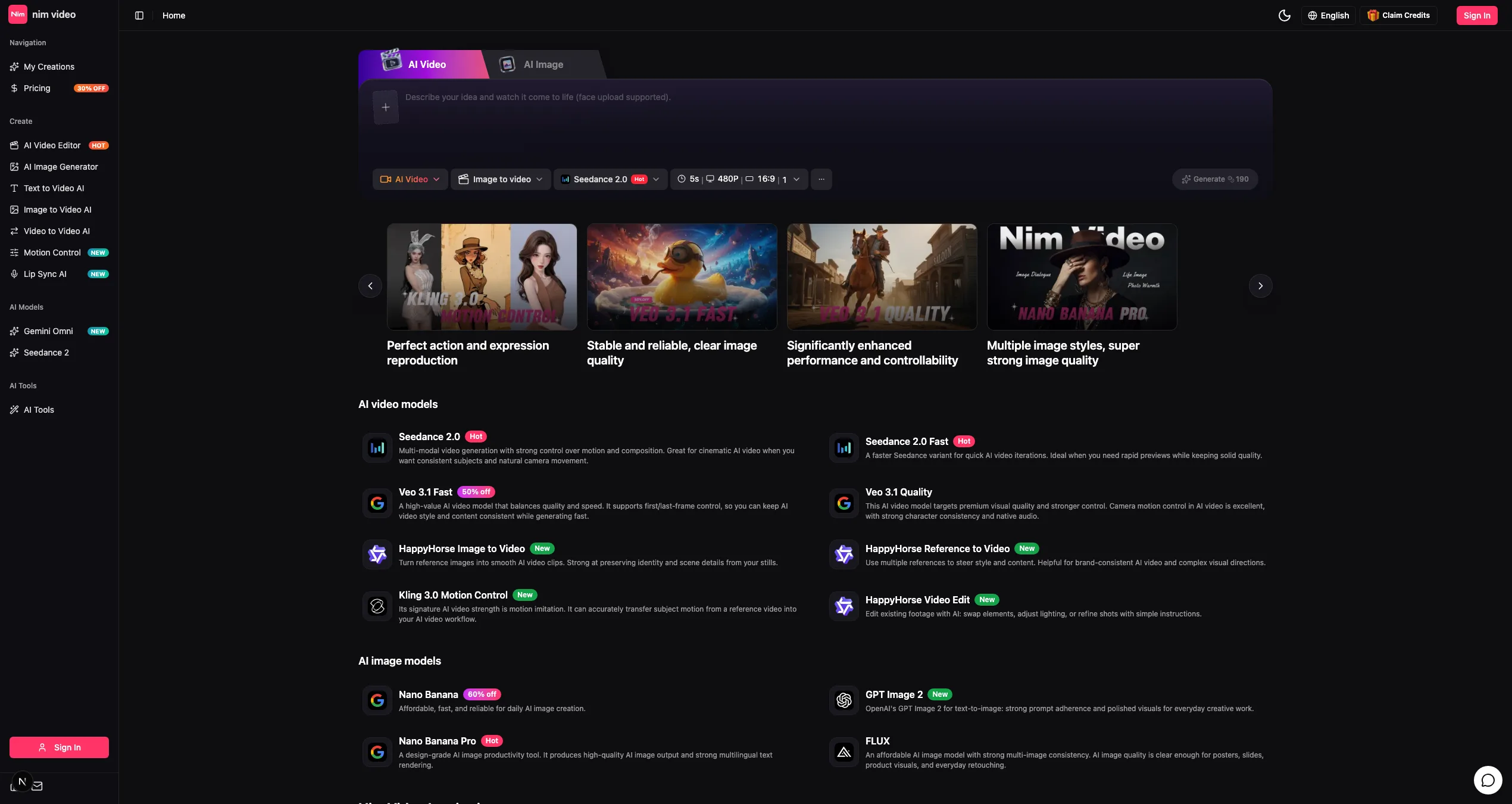
Nim Video positions itself as “The Perfect AI Video & Image Creation Platform” — describe your idea and watch it come to life. In practice it is a multi-model studio: a single workspace that brings a dozen video and image models together instead of making you keep accounts on each.
The video side covers Seedance 2.0 and 2.0 Fast, Veo 3.1 in Quality and Fast variants, Kling 3.0 Motion Control, HappyHorse for image-to-video and reference-to-video, and Wan 2.7 variants. On images it carries Nano Banana and Nano Banana Pro, GPT Image 2, and FLUX. Multi-reference steering is available for keeping subjects consistent across a set of outputs.
Key Features
- Multi-model workspace — A dozen video and image models in one place.
- Full generation matrix — Text-to-video, image-to-video, and video-to-video.
- Motion control and transfer — Kling 3.0 motion control plus reference-to-video workflows.
- AI video editing — Edit generated or uploaded footage in the same workspace.
- Image generation and editing — Nano Banana, Nano Banana Pro, GPT Image 2, and FLUX.
- Inspiration gallery — Example outputs with the setups behind them.
Who It’s For
Content creators who need video assets on a schedule, designers iterating on concepts, and brands that need consistent subjects and natural camera movement across a campaign rather than a set of unrelated clips.
How It Works
- Generate from a prompt, an image, or an existing clip.
- Compare outputs across models on the same brief.
- Edit, review, and export the version that holds up.
Model choice, resolution, duration, and output count all affect cost, so comparing a cheap fast model against a slower quality one on the same prompt is part of the intended workflow.